Progress
Body Recomposition Calculator: Calories, Protein & Timeline
Free body recomposition calculator. Get training and rest day calories, a daily protein target and a realistic 12-week range for fat loss and muscle gain.
Enter a few details to get calories for training and rest days, a daily protein target, and a realistic 12-week range for fat loss and muscle gain. Results update as you type, and what you enter never leaves your browser.
This calculator needs JavaScript. You can work out the same plan by hand:
- Resting energy (Mifflin–St Jeor): 10 × weight in kg + 6.25 × height in cm − 5 × age, then + 5 for men or − 161 for women. If you know your body fat percentage, use Katch–McArdle instead: 370 + 21.6 × lean mass in kg.
- Maintenance: multiply resting energy by an activity factor from 1.2 (mostly sitting) to 1.9 (heavy manual work plus training).
- Intake: eat at maintenance, or 10–20% below it, never more than 500 kcal/day below. Shift a little more food to lifting days and a little less to rest days.
- Protein: 1.6–2.2 g per kg of body weight per day.
- Expectations: over 12 weeks, newer lifters often gain about 1.5–4% of their lean mass; experienced lifters gain far less. Fat loss follows your deficit. Scale weight can barely move.
How the body recomposition calculator works
Key takeaways
- Recomposition means losing fat and gaining muscle at the same time, so your weight can stay nearly flat while your body changes.
- It works best at maintenance or a small deficit, with 1.6–2.2 g/kg of protein and progressive strength training.
- Muscle gain is slow and varies a lot from person to person. The calculator shows ranges, not promises.
- Judge a recomp by your waist, your lifts and photos taken every 2–4 weeks, not by daily weigh-ins.
Body recomposition ("recomp") is the slow swap of fat for lean mass. The calculator estimates what you burn, sets intake close enough to it that you can still build muscle, and sets realistic expectations so you don't quit in week five.
Step 1: Estimate your maintenance calories
Maintenance, or total daily energy expenditure, is your resting energy multiplied by an activity factor.
- Without body fat %, the calculator uses the Mifflin–St Jeor equation (Mifflin et al., 1990): resting energy = 10 × weight (kg) + 6.25 × height (cm) − 5 × age + 5 for men, or − 161 for women. A systematic review found it the most reliable of the common equations, predicting resting energy within 10% of measured values for more people than its rivals (Frankenfield et al., 2005).
- With body fat %, it switches to Katch–McArdle: resting energy = 370 + 21.6 × lean mass (kg), where lean mass = weight × (1 − body fat %). It suits very muscular or very heavy people better, if your body fat number is decent.
The activity factors (1.2, 1.375, 1.55, 1.725, 1.9) are long-standing conventions, not measured values. Pick the one that matches your whole week, including training.
Worked example. A 30-year-old man, 5′10″ (177.8 cm), 180 lb (81.6 kg), moderately active: 10 × 81.6 + 6.25 × 177.8 − 5 × 30 + 5 = 1,783 kcal resting. × 1.55 = 2,763 kcal/day maintenance.
Step 2: Set intake for training and rest days
The emphasis setting picks your average intake:
| Emphasis | Average intake | Best for |
|---|---|---|
| Muscle | Maintenance | Lean lifters, or anyone who mainly wants strength and size |
| Balanced | 10% below maintenance, at most 300 kcal/day | The classic recomp |
| Fat loss | 20% below maintenance, at most 500 kcal/day | More fat to lose, happy with slower muscle gain |
Keep the deficit at or under 500 kcal/day. In a meta-analysis of resistance training during energy deficits, a deficit of roughly 500 kcal/day was enough to prevent lean mass gains on average, even though strength still improved (Murphy & Koehler, 2022). Bigger deficits turn a recomp into a cut.
The calculator then moves some food from rest days to lifting days. Training days get about 12% more than rest days, while your weekly total stays the same. For our example on the balanced setting (276 kcal/day deficit, four lifting days), that's about 2,610 kcal on training days and 2,320 kcal on rest days. Calorie cycling is optional. If one number is easier, eat the average every day.
Step 3: Protein, fat and carbs
Protein is the lever that matters most. A meta-analysis of 49 trials found that gains in fat-free mass from resistance training stopped improving beyond about 1.6 g/kg/day of total protein, with the upper confidence limit near 2.2 g/kg (Morton et al., 2018). The calculator shows that 1.6–2.2 g/kg range and uses 2.0 g/kg for the macro table, since the top of the range is a sensible buffer in a deficit.
If you carry a lot of body fat, grams per kilogram of total weight overshoots. Above 25% body fat for men or 35% for women, the calculator bases protein on the weight you'd be at those levels. Fat is set to 25% of average calories (at least 0.6 g/kg), within the 15–30% range used in evidence-based recommendations for lifters (Helms et al., 2014). Carbs fill the rest and carry the training-day bump.
Step 4: The 12-week projection
Muscle gain is slow, varies a lot between people and is hard to measure, so the calculator gives ranges:
- Lean mass. A meta-analysis of 111 resistance training studies found an average gain of about 1.5 kg of muscle mass, mostly in newer lifters over a few months (Benito et al., 2020). The calculator expresses that as a share of your lean mass over 12 weeks: about 1.5–4% for new or returning lifters, 0.5–2% for intermediates and 0–1% for advanced lifters. It trims the range as your deficit grows. Men and women gain muscle at similar relative rates (Roberts et al., 2020), so the range scales with your lean mass.
- Fat. Fat loss follows the deficit: deficit × 84 days ÷ 7,700 kcal per kg of fat. The range assumes your true maintenance is within ±5% of the estimate, plus the modest fat loss that training alone produces, about 0.5 kg in trials (Wewege et al., 2022).
- Body fat %. If you don't enter one, the calculator estimates your starting body fat from BMI, age and sex (Deurenberg et al., 1991). That estimate is only used to size the projection, and it can be off by 4 percentage points or more.
Recomp under ideal conditions can be striking: in a supervised four-week trial, young men eating 40% below needs with 2.4 g/kg of protein and training six days a week gained 1.2 kg of lean mass while losing 4.8 kg of fat (Longland et al., 2016). Outside a lab, expect the middle of the range.
Why the scale misleads during a recomp
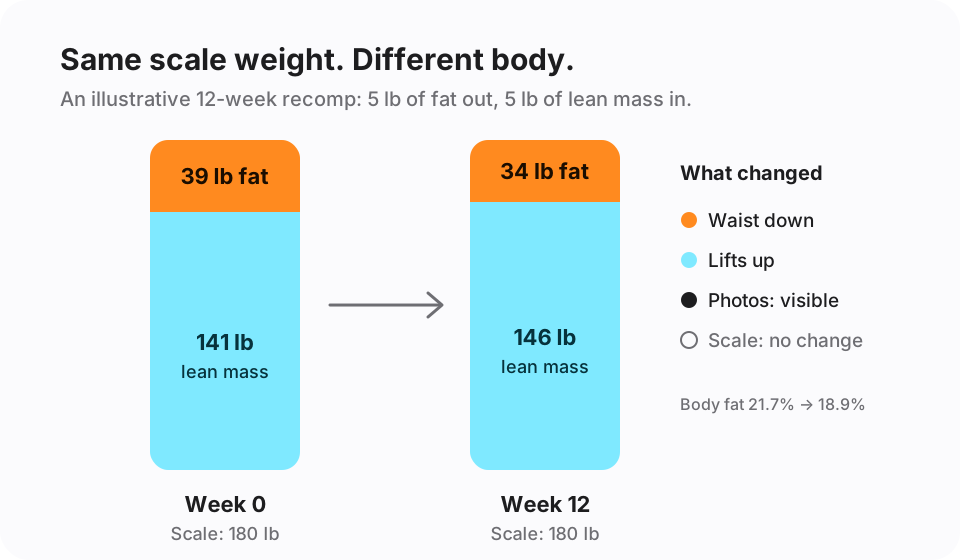
The scale reports one number: everything you weigh. In a recomp, the two parts of that number move in opposite directions, so they partly cancel. Five pounds of fat lost and five pounds of lean mass gained reads as zero.
Daily weigh-ins add noise. Water, glycogen, salt or a hard leg day can swing the scale a couple of pounds overnight, more than a month of real recomp change. The dots on the calculator's chart simulate this: count how often a single weigh-in would say the plan "isn't working" when the trend is fine. Our weight loss plateau guide covers reading through that noise in more detail.
Fat lost takes up more space than muscle gained, so your measurements and the mirror change even when the scale doesn't. So track more than the scale.
How to track a body recomposition
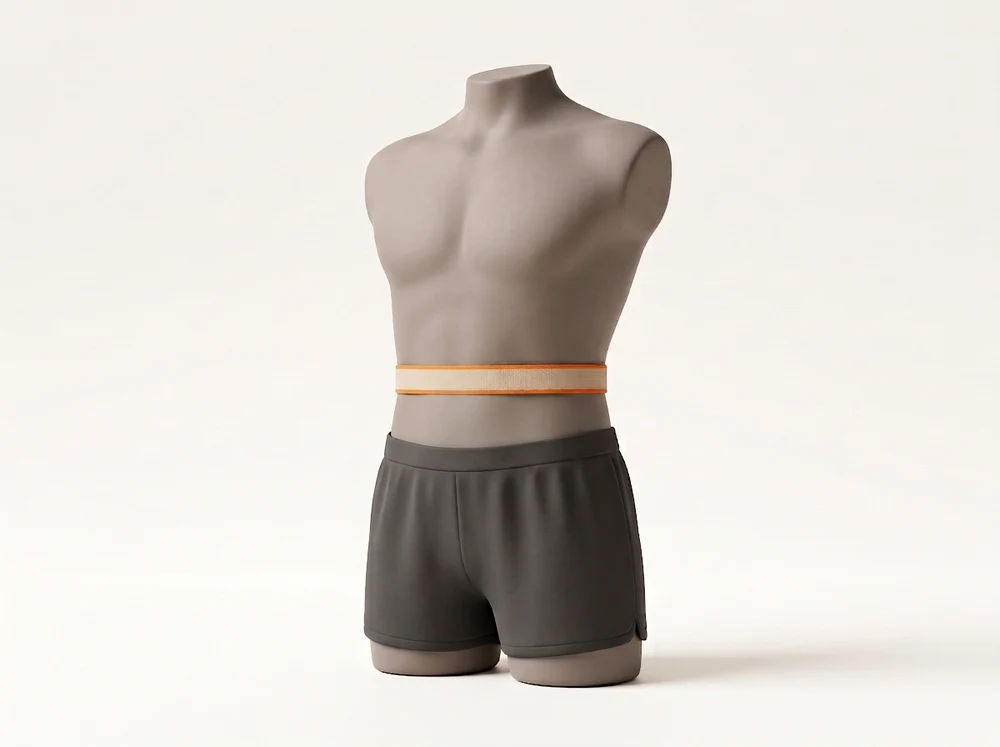
- Waist, every 2–4 weeks. Measure at the navel, first thing in the morning, after breathing out normally. A shrinking waist with a steady scale is the signature of a recomp.
- A strength log, every session. Write down weights and reps for your main lifts. If those keep climbing while you eat at or slightly below maintenance, you're very likely holding or building muscle.
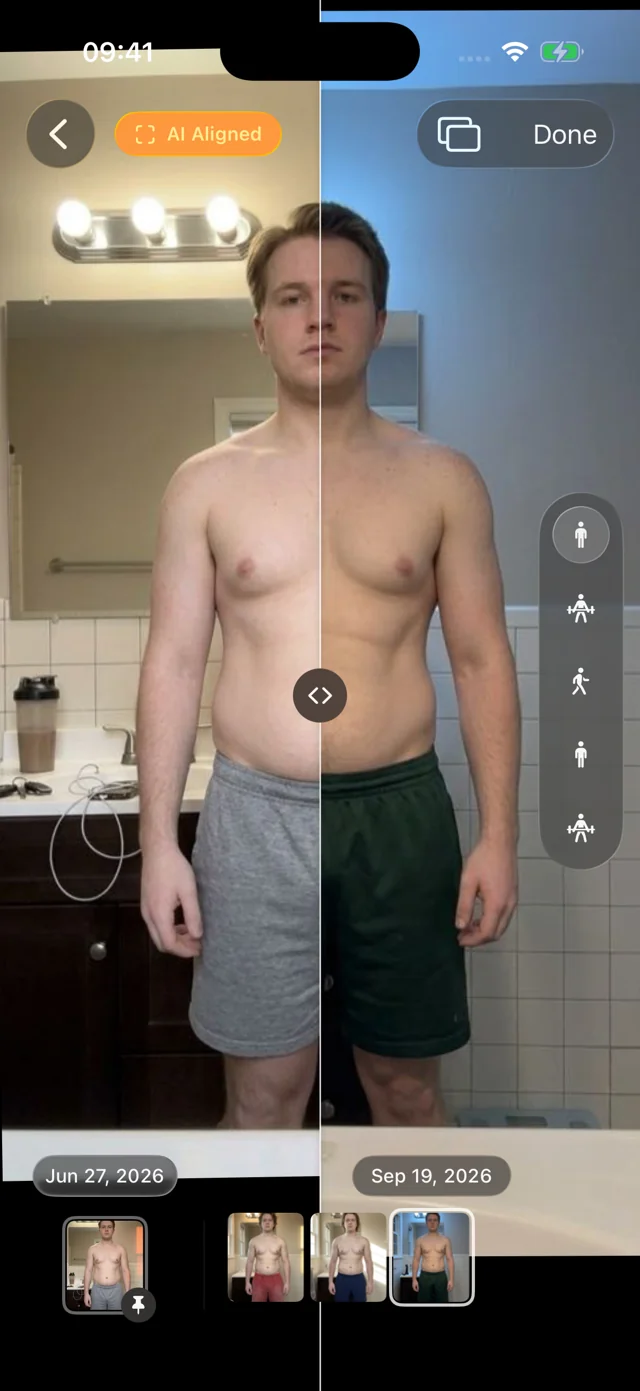
- Progress photos, every 2–4 weeks. Same place, light, distance, poses and time of day. Recomp changes are small month to month, so consistency is everything. Our guide to taking progress photos walks through the setup.
- The scale, as a weekly average. Weigh daily or a few times a week if you like, but only compare weekly averages.
Photos are the most convincing evidence of a recomp because they show where the change happened. See real-world examples of what that looks like, and why some recomps barely show at first, in our body recomposition before and after guide.
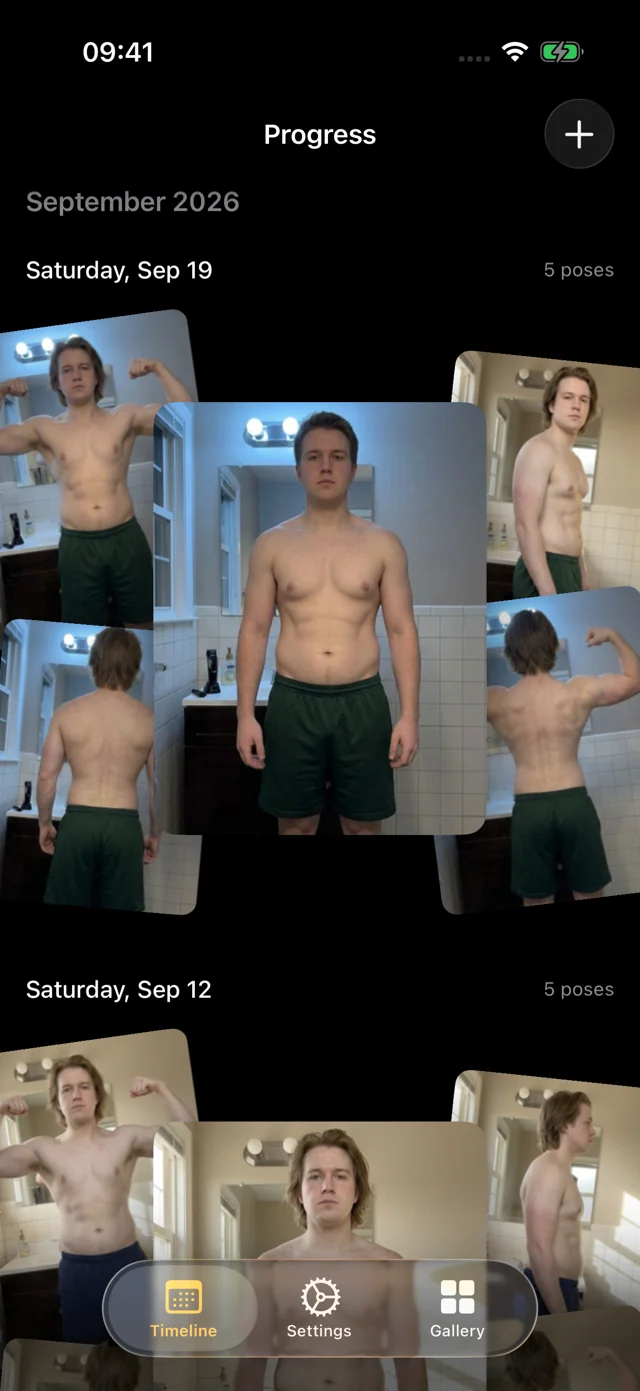
Small changes only show if every photo lines up. Progress is a private iPhone and iPad app that AI-aligns every progress photo automatically, so week 0 and week 12 sit in the same frame and you can slide between them.
How to adjust after 3–4 weeks
Your first plan is a starting estimate. After three or four weeks of steady eating and training, use the trends to adjust:
| What you see | What it likely means | Try |
|---|---|---|
| Waist down, lifts up, scale flat | Recomp is working | Change nothing |
| Waist and scale both down, lifts stalling | Deficit is larger than estimated | Add 100–200 kcal/day |
| Scale and waist creeping up | Intake is above maintenance | Remove 100–200 kcal/day |
| Nothing moving, lifts flat | Training isn't progressing | Fix the program before cutting food |
Give each change two to three weeks before judging it.
How accurate is a recomp calculator?
- Maintenance equations can miss your true number by 10% or more, which is a few hundred calories. Your own trend data is the real calibration.
- Body fat % from scales, tapes or BMI estimates is rough. A 3–5 point error changes Katch–McArdle by a small amount and the projection by more.
- Lean mass is not just muscle. It includes water and glycogen, which shift with carbs and training. Even lab scans struggle to detect half a kilogram of real muscle.
- Individual response varies a lot. Sleep, stress, age, genetics, and how hard you actually train all matter. Some people land above the range and some below.
Use the calculator to start, then let your waist, your logbook and your photos steer.
FAQ
How long does a body recomposition usually take?
Most people need 8–12 weeks before a recomp is clearly visible in photos and measurements, and 6 months or more for a dramatic change. New and returning lifters see change fastest; lean, experienced lifters may need much longer. Use the 12-week projection above as a check-in point, not a finish line.
How do I calculate my body recomp?
Estimate maintenance calories (Mifflin–St Jeor, or Katch–McArdle if you know your body fat), set intake at maintenance or 10–20% below it (no more than 500 kcal/day), and eat 1.6–2.2 g of protein per kg of body weight. Then train with progressive overload and track your waist, lifts and photos every 2–4 weeks. The calculator does the arithmetic for you.
Can you build muscle in a calorie deficit?
Yes, especially if you're new to lifting, returning after a break, or carrying more body fat. A small deficit, high protein and hard training make it most likely. Large deficits, around 500 kcal/day or more, tend to block lean mass gains on average (Murphy & Koehler, 2022).
What exercises are best for body recomposition?
Progressive resistance training: compound lifts such as squats, hip hinges, presses, rows and pull-ups, two to five times a week, adding weight or reps over time. Cardio helps health and your energy budget, but lifting is what signals your body to build muscle while you lose fat.
Is 10% body fat ripped?
For most men, around 10% body fat looks lean with visible abs; for women, a similar look is closer to 18–20%. Body fat estimates vary by method, so compare yourself with yourself over time. See what different levels look like in our body fat percentage pictures guide.