Progress vs Happy Scale: Weight Trends or Aligned Photos?
Happy Scale turns daily weigh-ins into a trend; Progress keeps aligned progress photos. An honest, sourced look at the Happy Scale app, and why many use both.
The Happy Scale app and Progress answer different questions. Happy Scale turns noisy daily weigh-ins into a smooth trend line, with milestones and a prediction of when you'll reach your goal. Progress keeps progress photos that line up, so you can see how your shape has changed between any two dates. If making sense of the scale is what you need, Happy Scale is the one. If you also want to see the change, add a photo journal.
We make Progress, so weigh that.
The short version
- Happy Scale is a weight-trend app: smoothing, milestones, predictions and a BMI calculator.
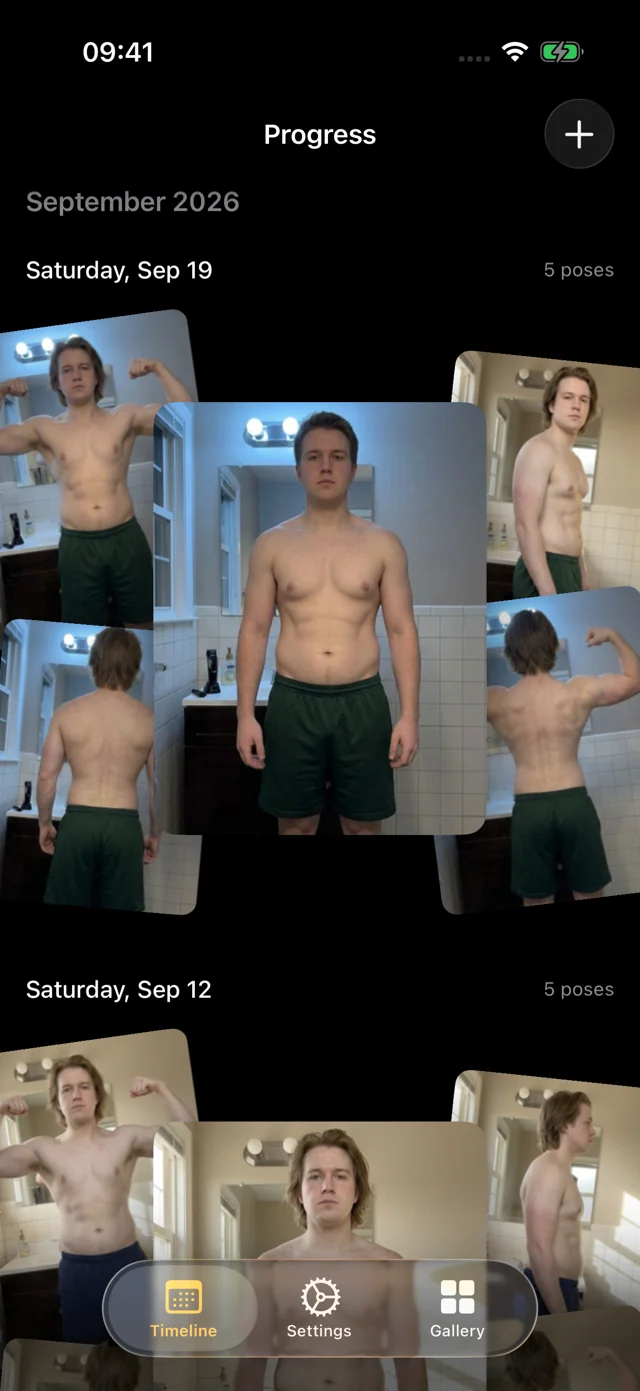
- Progress is a progress-photo app: AI that coaches you through each pose and takes the shot, and every photo aligned for you. It logs weight with each session but doesn't do trend math.
- Both work with Apple Health, so one weigh-in can show up in both.
- Weight only? Pick Happy Scale. Want to see your shape change? Add Progress.

Happy ScaleFront Pocket Software LLC
At a glance
| App | Weight trend | Progress photos | Apple Health | Where data lives | Devices | Price |
|---|---|---|---|---|---|---|
 Progress Ours Progress Ours | Weight and body fat per session; no trend math | AI-guided, hands-free capture; AI aligned automatically; bulk import, poses recognized | Reads weight and body fat; can write weight | Personal data stays on your iPhone; anonymous usage data only | iPhone, iPad (iOS 26+) | Free beta |
| Happy Scale | Smoothing, milestones, predictions | — | Imports and exports weight | On device by default; optional Dropbox sync | iPhone, iPad, Mac (iOS 16+) | Free download; Deluxe available |
What Happy Scale does well
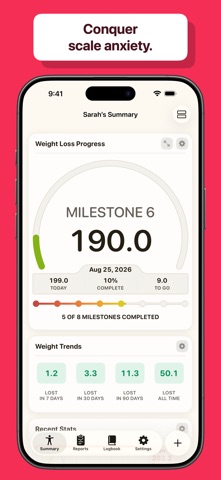
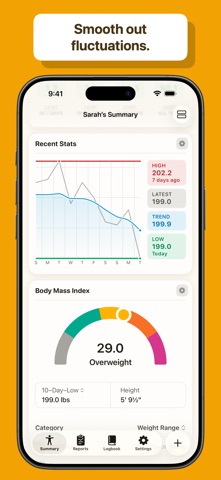
Happy Scale "helps you make sense of the frustrating ups and downs of weigh-ins by using mathematical analysis." You enter a weight each morning, and it shows the trend underneath the noise. You can choose between four smoothing methods (its own Happy Scale Smoothing, which it recommends, plus double exponential, exponential and a seven-day moving average) and track progress by moving average or by your "10-day-best" weight.
That matters because day-to-day weight swings with water, food and glycogen, as our water weight calculator explains. Here's the kind of picture a trend app draws. Drag across it to compare a single day with the average.
Illustrative data: eight weeks of daily weigh-ins starting at 196 lb jump up and down by two to three pounds, while the seven-day average falls steadily by about six pounds. A simple moving average, not Happy Scale's own smoothing.
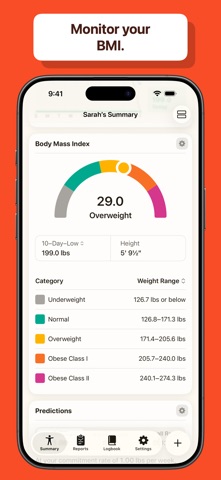
Happy Scale also breaks a big target into milestone goals, predicts what you'll weigh by a date if your trend holds, includes a BMI calculator, syncs between iPhone and iPad, and can protect your entries with a passcode. It's free to download, with Deluxe as a monthly or yearly subscription or a lifetime purchase.
If your goal is weight loss and the daily number is wearing you down, Happy Scale is the better tool for that job. Progress doesn't smooth weights, predict dates or set milestones.
What a photo journal adds
A trend line answers "how much do I weigh?" It can't answer "what does my body look like now compared with March?" That's the question during a recomp, a strength phase or a weight-loss plateau, when the scale barely moves but your shape does.
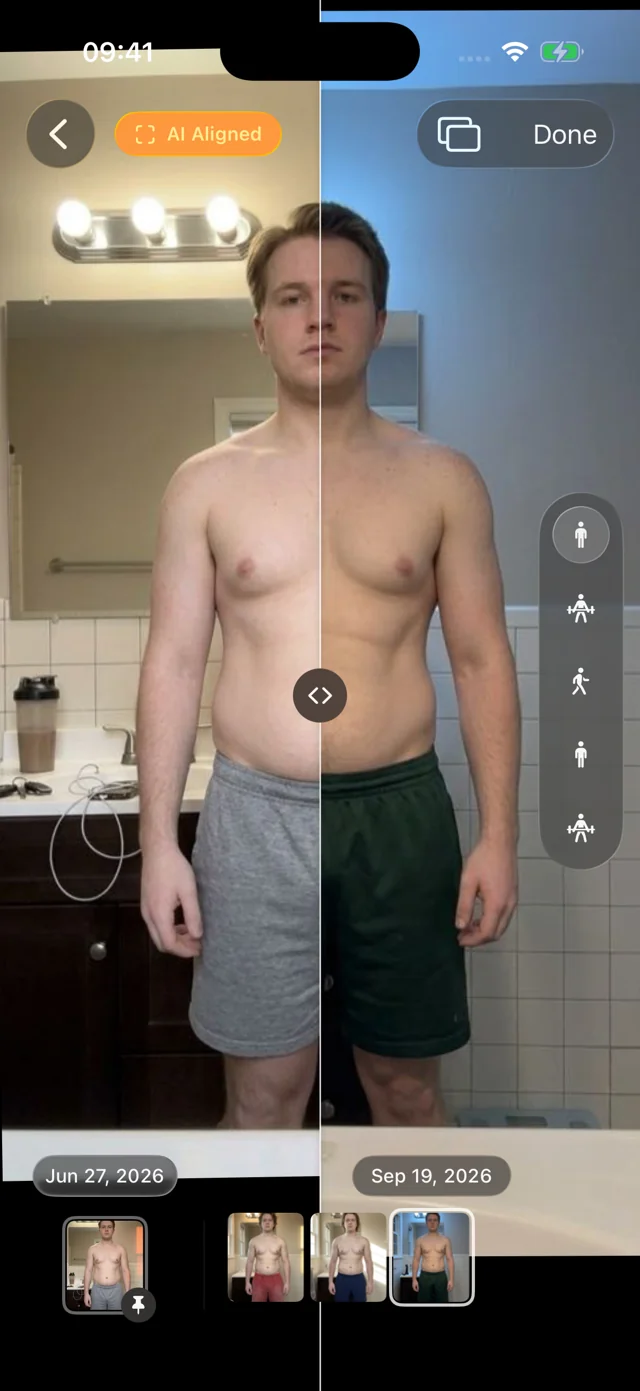
Progress is built around photos you can actually compare. You never stand in exactly the same spot twice, so its AI aligns every photo after it's taken: two sessions months apart sit at the same scale and position, with your originals untouched. Slide the divider below, then switch AI aligned off to see the same photos as they were shot.
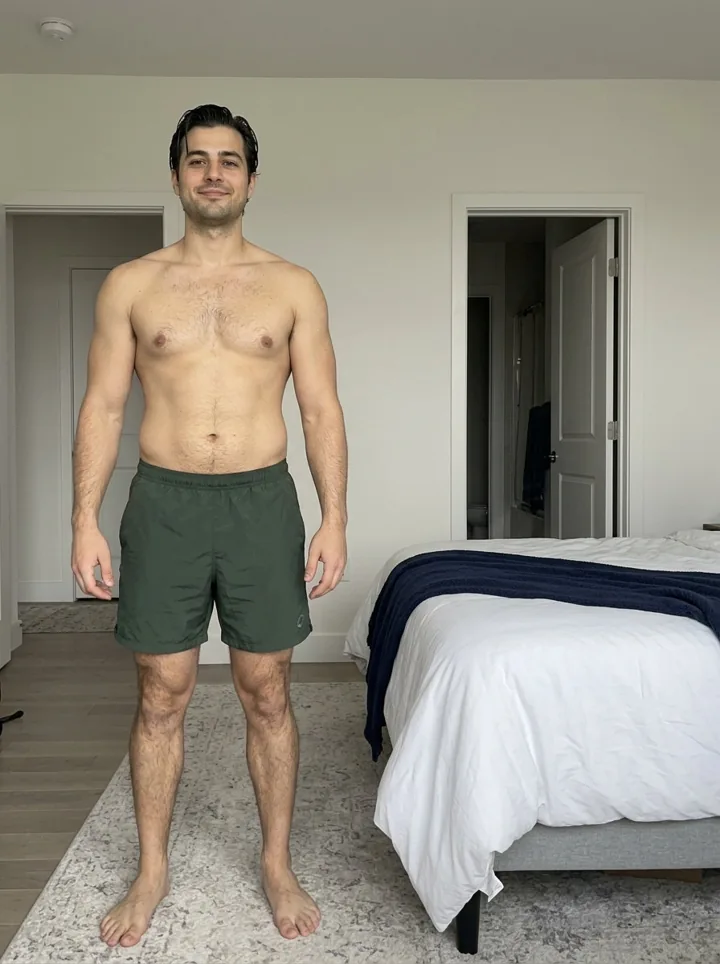
- Hands-free capture, coached by AI. Prop the phone on a shelf and step back. Progress watches through the camera and talks you into each of the five standard poses: "Turn to your right until your left side faces the camera," "Move a little closer." When you're in place and still, it takes the photo itself. About a minute.
- Compare any two dates. Slide a divider between them or swap full-screen. Pin a reference date and scrub through every session since; photos appear instantly, with light haptics on the filmstrip.
- Years of photos, sorted for you. Our own pose model, trained for progress photos and shipped inside the app, recognizes front, side and back. Import a year of pictures at once and they fall into dated, aligned sessions with nothing to label.
- Weight beside the photos. Log weight and body-fat percentage with each session, typed in or read from Apple Health.
- Private by default. No account. Your personal data (photos, measurements, health data) never leaves your iPhone. We only collect anonymous usage data to improve the app, and you can turn it off in Settings. Photos live in the app, out of your camera roll, with an optional Face ID lock.
Using Happy Scale and Progress together
Both apps talk to Apple Health, so you don't have to choose or type a weight twice. Happy Scale can import weights from Health and export its own; Progress reads the weight from Health when you log a session.
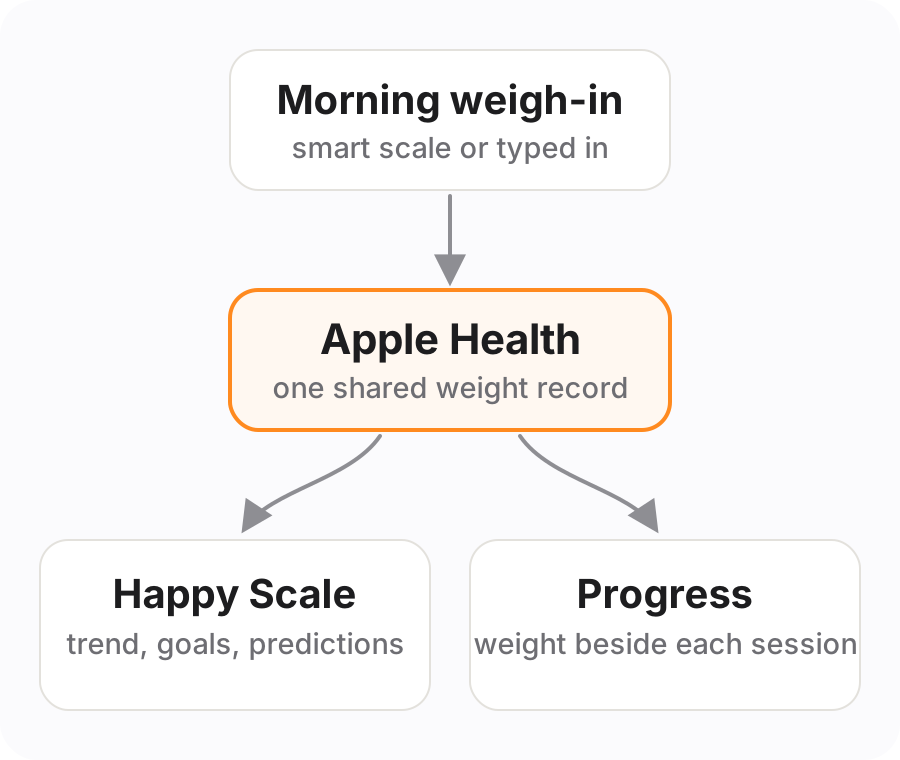
- Weigh in daily in Happy Scale (or with a smart scale that writes to Health). Turn on Health sync in Happy Scale's Settings so your weights land in Apple Health.
- Allow Progress to read weight from Health when it asks. It can also write weight, but if Happy Scale already exports your weigh-ins, leave that off so the same weight isn't logged twice.
- Take a photo session every week or two. Progress picks up that day's weight next to your aligned photos.
- Read them together. Watch the trend in Happy Scale day to day; open Progress at checkpoints to compare how you look against a pinned start date.
Which should you choose?
| If you… | Choose |
|---|---|
| Only care about the number and want it to feel less random | Happy Scale |
| Want predictions and milestones toward a goal weight | Happy Scale |
| Have an iPhone that can't run iOS 26 | Happy Scale |
| Are recomping or lifting, and the scale barely moves | Progress |
| Want before-and-afters that line up without lining them up yourself | Progress |
| Want both the trend and the visual proof | Both, linked through Apple Health |
Comparing photo apps instead? See our roundup of the best progress photo apps, or read camera roll vs Progress if you keep your photos in Apple Photos today.
FAQ
Is the Happy Scale app free?
Yes, it's free to download. Deluxe is available as a monthly or yearly subscription or a one-time lifetime purchase.
How does the Happy Scale app work?
You enter a weight, ideally every morning, and Happy Scale smooths it into your underlying trend, shows how much you're losing per week, and predicts where you'll be on upcoming dates. It can import weights from Apple Health and export to it.
Is Happy Scale available on Android?
No. It's on iPhone, iPad and Apple silicon Macs. Progress is Apple-only too (iPhone and iPad on iOS 26 or later).
Does Happy Scale track progress photos?
Happy Scale is built around your weigh-ins. To keep photos alongside them, pair it with a photo app like Progress: Apple Health shares the weight between the two, and Progress keeps the pictures.
Can Progress replace Happy Scale?
Not for trend analysis. Progress records weight and body fat with each photo session but doesn't smooth daily weigh-ins, set milestones or predict dates. If you want those, keep Happy Scale and add Progress for the photos.