Progress
Progress vs Hevy: When One Photo a Day Is Enough
Hevy already has overlays and progress-photo comparisons. See the documented daily photo limit, real screenshots and when a separate journal makes sense.
Hevy may already be all you need for progress photos. It has a capture overlay, side-by-side comparisons and photos next to your measurements. The reasons to look at a dedicated journal are its one-photo-per-day limit, which matters if you want front, side and back saved under the same date, and how much of the work you want to do yourself: Hevy helps you match your last photo by eye, while Progress coaches you through every pose and aligns the photos for you.
We make Progress, so weigh that. If you lift, keep Hevy either way.

Hevy - Workout Tracker Gym LogHevy Studios S.L.
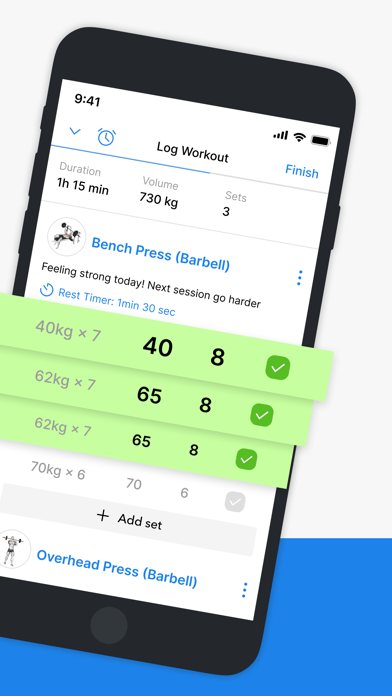
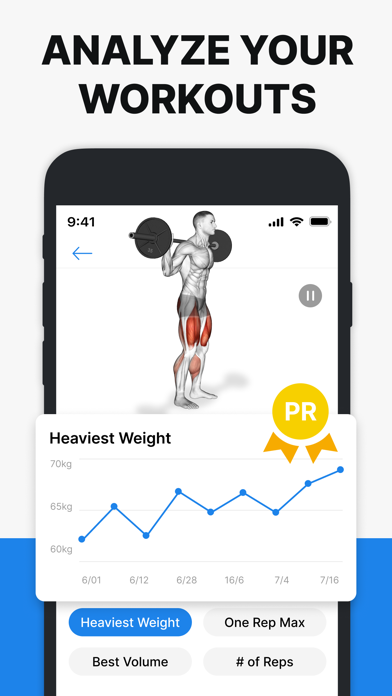
Hevy's photo feature is solid
Progress photos live under Profile → Measures. You can take or import a photo, line up the next one against a ghost of the last, and compare dates side by side (Hevy's guide). On the free plan, measurements cover weight and waist; Pro adds more body measurements.
Photos in Measures stay private even if your profile is public. Media you attach to a shared workout is a different thing and others can see it, so if you use Hevy's social side, know which one you're posting (feature page).
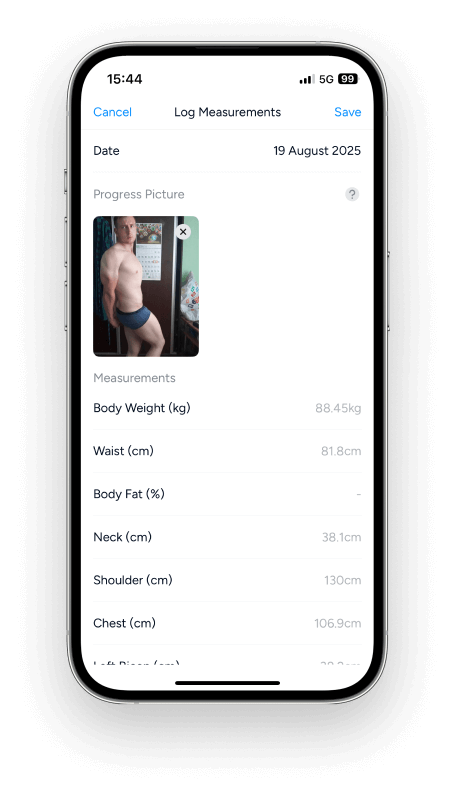
Why one photo per day matters
For a front-view checkpoint now and then, one photo a day is plenty. For a full set of front, side and back on the same day, it gets in the way: Hevy suggests spreading views over different dates, which makes a single check-in harder to look back on.
Try your usual check-in in Hevy first. If its comparison works for you, you don't need another app.
| What you need | Start with |
|---|---|
| Workout routines, lift records and training history | Hevy |
| A photo checkpoint with measurements | Hevy Measures |
| An overlay of your last photo while you shoot | Hevy |
| Several poses saved under one session date | Progress |
| AI-guided, hands-free capture of five poses | Progress |
| Photos AI aligned automatically, any two dates | Progress |
| Bulk import of old photos, poses recognized automatically | Progress |
Keep the workout log you like
Hevy covers routines, custom exercises, rest timers, exercise progression, Apple Watch and social workouts. Pro adds unlimited routines, longer graph history and more measurements. Progress does none of the training side, so it sits beside Hevy rather than replacing it.
How the two fit together
Keep logging sets and reps in Hevy. If its one-photo entries suit your check-ins, keep your photos there too. If you'd rather capture several poses in one session, take your photos in Progress and leave the training in Hevy. The two apps don't sync, but any pictures you've saved to Photos or Files can go into Progress in one batch: it recognizes each pose and lines them up with nothing to label.
What Progress adds
Progress is our photo journal for iPhone and iPad, built around the parts Hevy leaves to you.
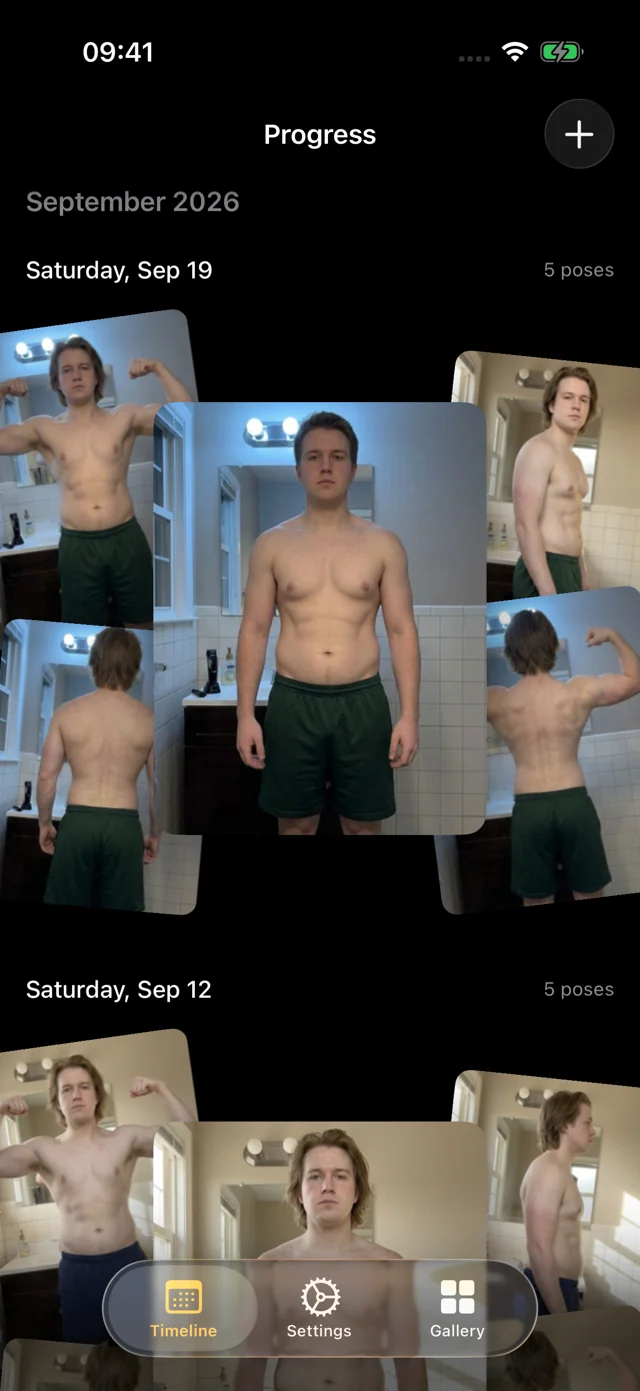
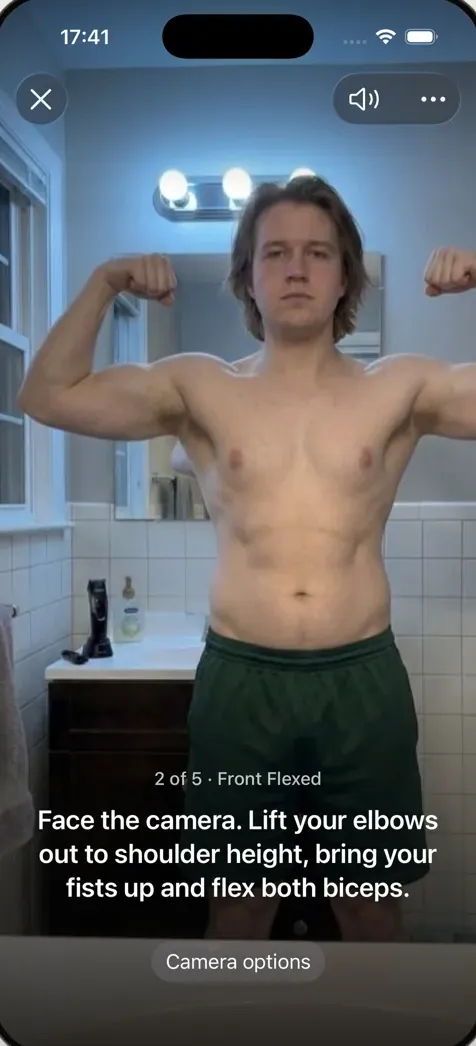
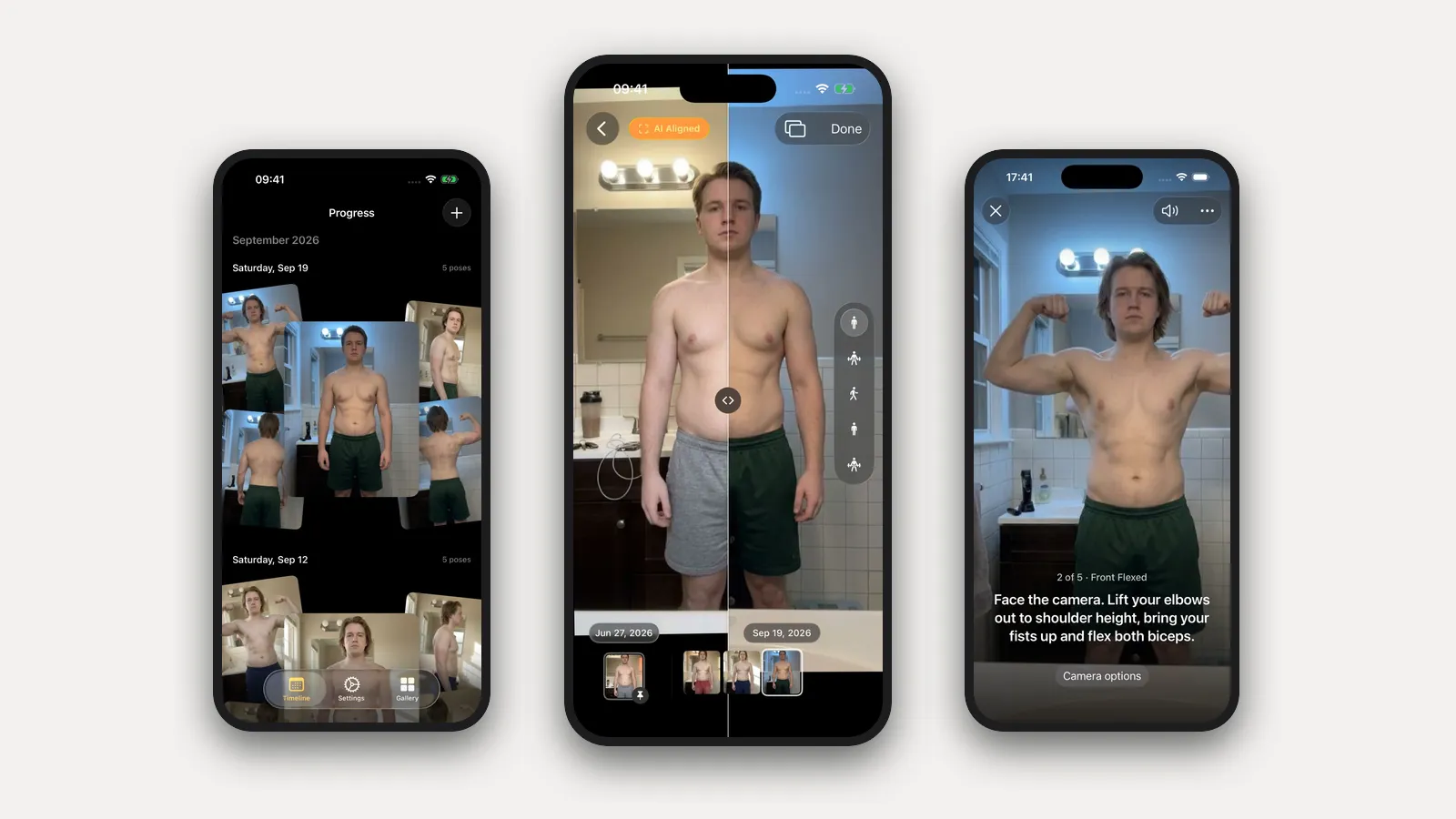
- It coaches you through the shoot. Prop the phone on a shelf and step back. Progress watches through the camera and talks you into position: "Turn to your right until your left side faces the camera," "Lift your elbows to shoulder height and flex." When you're in place and still, it takes the photo itself. Five poses, one session, about a minute.
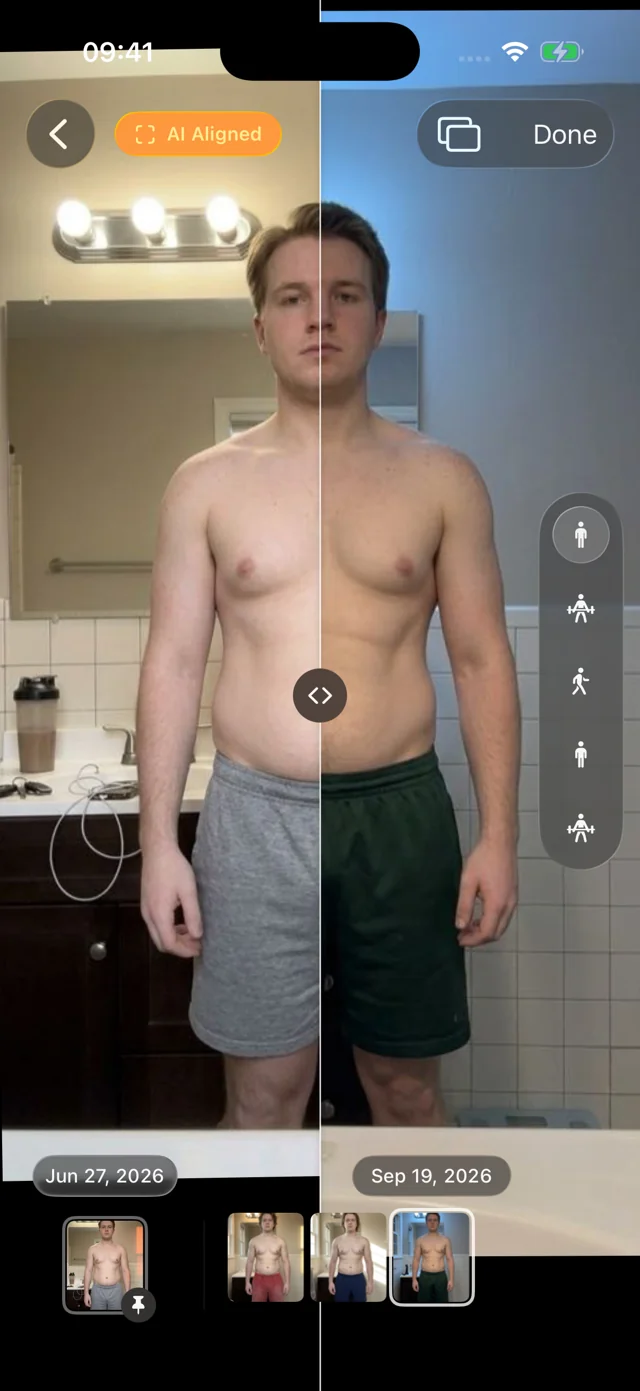
- It aligns the photos for you. Hevy's ghost of your last photo helps you match it by eye while you shoot. Progress's AI aligns every photo after it's taken, so a half-step closer or a lower shelf doesn't masquerade as change. Slide a divider between any two dates, or pin your first session and scrub through everything since.
- Old photos fall into place. Our own pose model, trained for progress photos and shipped inside the app, recognizes front, side and back. Select a year of pictures at once and Progress sorts them into dated sessions and lines them up, with nothing to label.
- It's a pleasure to use. Photos appear instantly, the filmstrip scrubs with light haptics, and nothing waits on a spinner. We sweat these details because you'll open it every week.
It's a free TestFlight beta for iOS and iPadOS 26. There's no account. Your personal data (photos, measurements, health data) never leaves your iPhone. We only collect anonymous usage data to improve the app, and you can turn it off in Settings. Progress doesn't log workouts or food, so keep Hevy for training. Timelapse and iCloud sync are coming soon; Export Data gives you a copy of everything today.
FAQ
Is Hevy the same app as Heavy?
The app here is Hevy, by Hevy Studios S.L. Use the linked listing to avoid similarly named apps.
Does Hevy automatically align photos?
Hevy shows an overlay of your previous photo while you take the next one, so you can match your position by eye. Progress aligns every photo automatically after capture, so small differences in where you stood don't show up in the comparison.
Is Progress better than Hevy?
They do different jobs. Hevy is the one for lifting. For photos, Progress does more of the work: it guides each pose hands-free, keeps a full set under one date and aligns every photo for you. Use both.
For other options, see the dedicated progress photo app comparison and the food, lifting and photo app guide. For consistent capture, start with how to take progress photos.