Progress
GLP-1 App for Progress Photos: Your Private Visual Record
A private GLP-1 app for the visual side of your journey: a baseline photo set, AI-aligned monthly check-ins, and weight from Apple Health. No dose tracking.
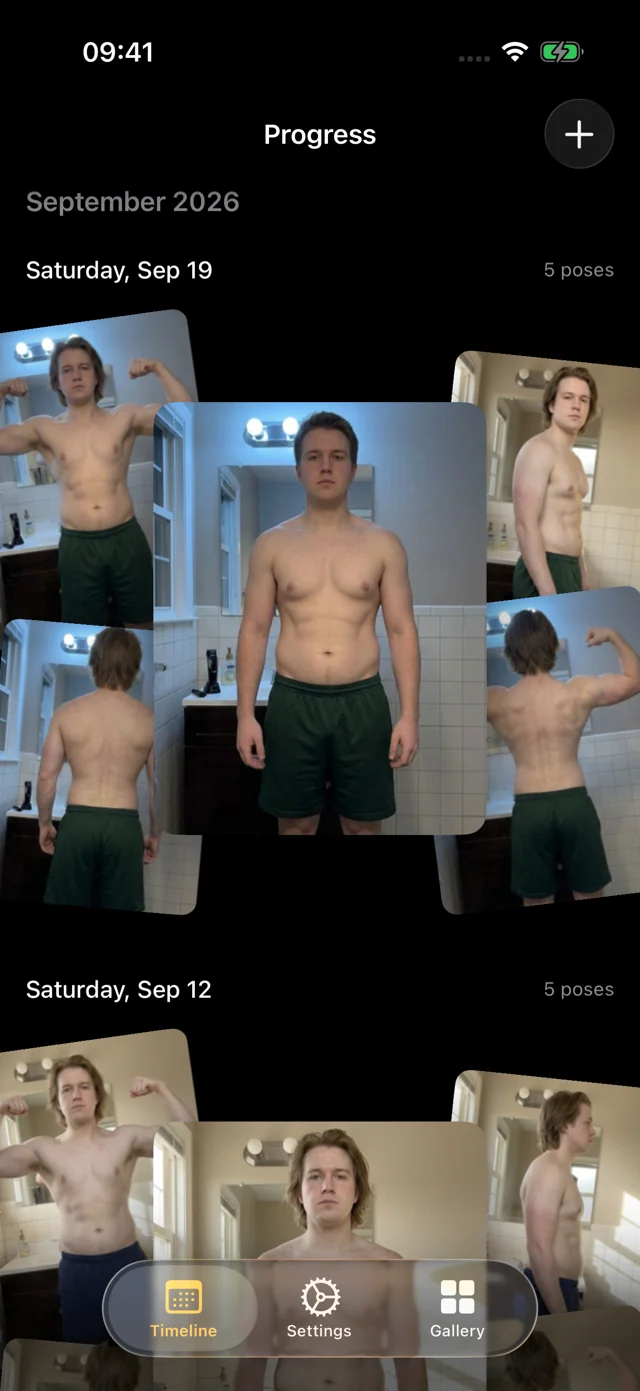
Progress is a GLP-1 app for one job: a private visual record of how your body changes. Take a baseline set of photos before your first dose (or today), repeat it every few weeks, and on-device AI lines up every session so the comparison is fair. Weight and body-fat percentage sit beside each session, typed in or read from Apple Health.
Progress doesn't track doses, injections, side effects or medications. Keep those in your prescriber's app or a GLP-1 tracker, and use Progress to see the change.
What this GLP-1 app does, and what to pair it with
Logging your medication and seeing your body change are different jobs. Progress does the second.
| What you want to track | In Progress | Notes |
|---|---|---|
| Progress photos | Five poses, AI aligned | Front, side and back; hands-free |
| Weight | Per session | Typed, or read from Apple Health |
| Body-fat % | Per session | Typed, or from a Health-connected scale |
| Doses and injections | Not tracked | Prescriber's app or a GLP-1 tracker |
| Side effects, food, protein | Not tracked | A dedicated tracker or food log |
Take the baseline you'll want in six months
Three months in, you'll want a real "before", not a cropped vacation photo with different light and a different angle. A baseline taken on purpose, under conditions you'll repeat, is the one session you can't recreate later.
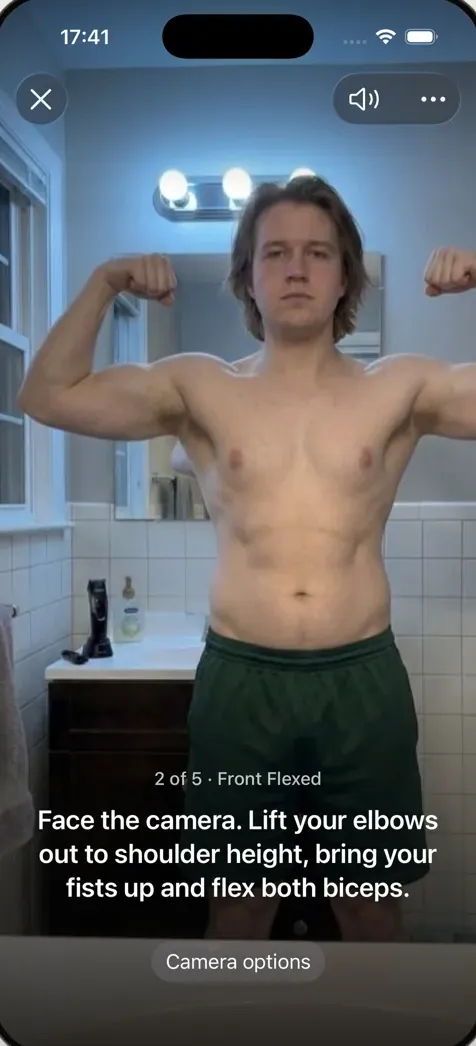
Progress makes it quick. Set the phone down facing a plain wall and step back. Hands-free capture waits until you're fully in frame and still, counts you in, and a recorded voice calls each of the five poses: front relaxed, front flexed, right side, back relaxed and back flexed. It takes about a minute, and the photos go straight into the app, not your camera roll. Already started? Import older photos from Photos or Files; Progress suggests dates and poses and lines them up too.
Our guide to GLP-1 before and after photos covers the setup in detail: one spot, one light, one outfit, one time of day.
Monthly check-ins that actually line up
Every four weeks is a good default: often enough to catch a trend, far enough apart that each session shows something. Week to week, water and digestion swing more than real change. A simple rhythm:
Before the first dose
All five poses, your weight, and a note on how clothes fit. If you've already started, today is your baseline.
Weight only
Same scale, same morning routine. If your scale writes to Apple Health, Progress can fill it in for you. No photos needed between check-ins.
Photo check-in
Repeat the baseline exactly. About a minute with hands-free capture. Don't judge it against last month; month-to-month differences are often subtle even when the trend is real.
Look back to the start
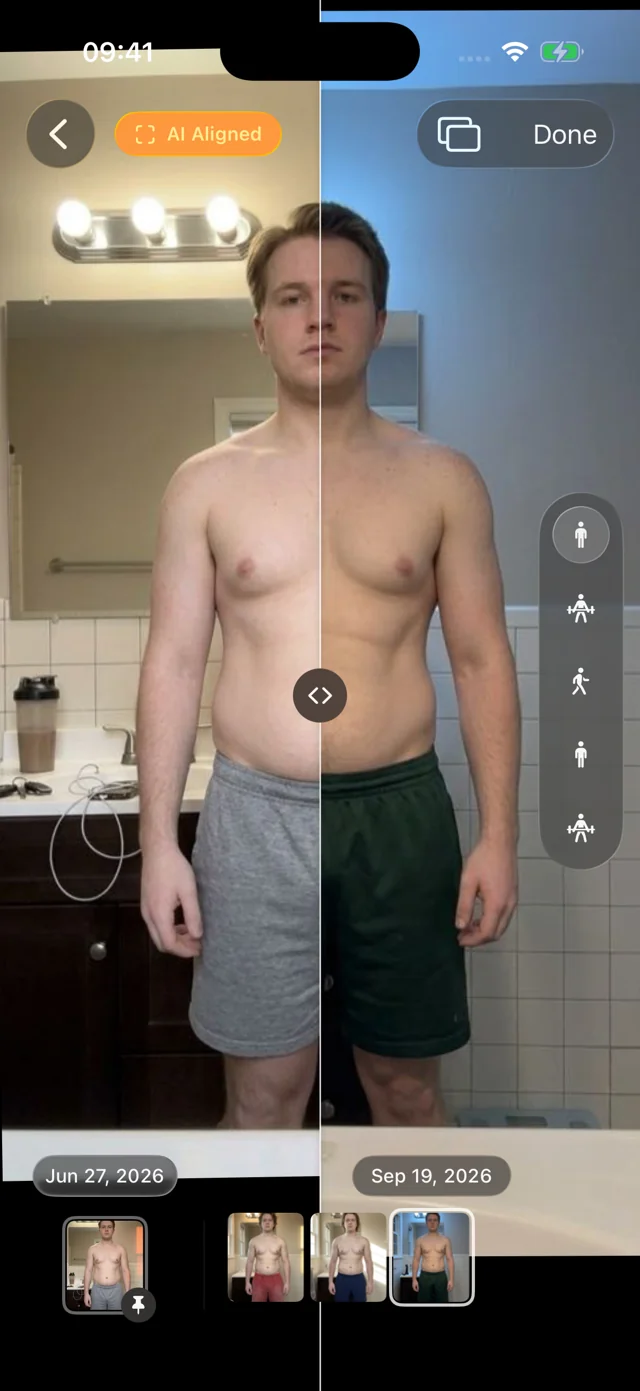
Pin your baseline as the reference date and scrub through every session since. This is usually where change becomes visible.
Every photo is AI aligned to the same frame, so you can drag a divider across two dates, or swap between them full-screen, without camera distance or a tilted phone posing as progress. Reminders are coming soon; until then, a recurring calendar event works.
When the scale stalls, the photos keep talking
Weight loss rarely falls in a straight line. Some weeks the number won't move while your waist and side profile keep changing. Your weight next to aligned photos makes those weeks easier to read, and harder to give up on. In one of those stretches? Our weight loss plateau guide explains what's usually going on, and Progress for weight loss shows how the journal works.
Bring a clear record to your clinician

Appointments are short. Bring your weight trend since baseline, one aligned comparison of the same pose, and your own notes. Open the comparison on your phone in the room, or use Export Data to keep a copy. What to change is your clinician's call.
Private by design
Body photos taken during treatment are about as personal as data gets. Your personal data (photos, measurements, health data) never leaves your iPhone; we only collect basic usage data to improve the app, and you can turn it off. No account, no social feed. The library lives inside the app, out of your camera roll, behind an optional Face ID, Touch ID or passcode lock. You can also save new captures to Apple Photos, including the Hidden album. More on how Progress keeps your photos private.
How it works
- Join the free beta. Progress runs on iPhone and iPad with iOS 26 or later, through TestFlight. No account.
- Take your baseline. Set the phone down, step back, and let hands-free capture call the five poses. Add your weight, or let Apple Health fill it in.
- Check in every four weeks. Same spot, same light, same outfit. Every session is AI aligned automatically.
- Compare. Slide between any two dates, pin your baseline and scrub through everything since.
FAQ
What is the best GLP-1 tracker app?
For doses, injection sites and side effects, use your prescriber's app or a dedicated GLP-1 tracker. For seeing physical change, you want consistent, aligned progress photos with your weight beside them. That's Progress.
Is there a good free app for GLP-1 progress photos?
Progress is free during its TestFlight beta on iPhone and iPad. It covers photos, weight and body-fat percentage; it doesn't log medication.
Does Progress track my doses, injections or side effects?
No. Progress doesn't record medications, doses, injection sites or side effects, and it doesn't give medical advice. Keep those in your prescriber's app or a tracker of your choice.
Does it work with Ozempic, Wegovy, Zepbound or Mounjaro?
Progress doesn't ask which medication you take. It documents your body over time, so it works the same with any GLP-1 medication, or none.
Can anyone else see my photos?
Not unless you show them. Your personal data (photos, measurements, health data) never leaves your iPhone. There's no account, and you can lock the app.