Progress
75 Hard Tracker: Free Checklist, Calendar & Printable
Free 75 Hard tracker: pick a start date, check off all five daily tasks on a 75-day calendar and print a dated checklist. Private, no signup, no app needed.
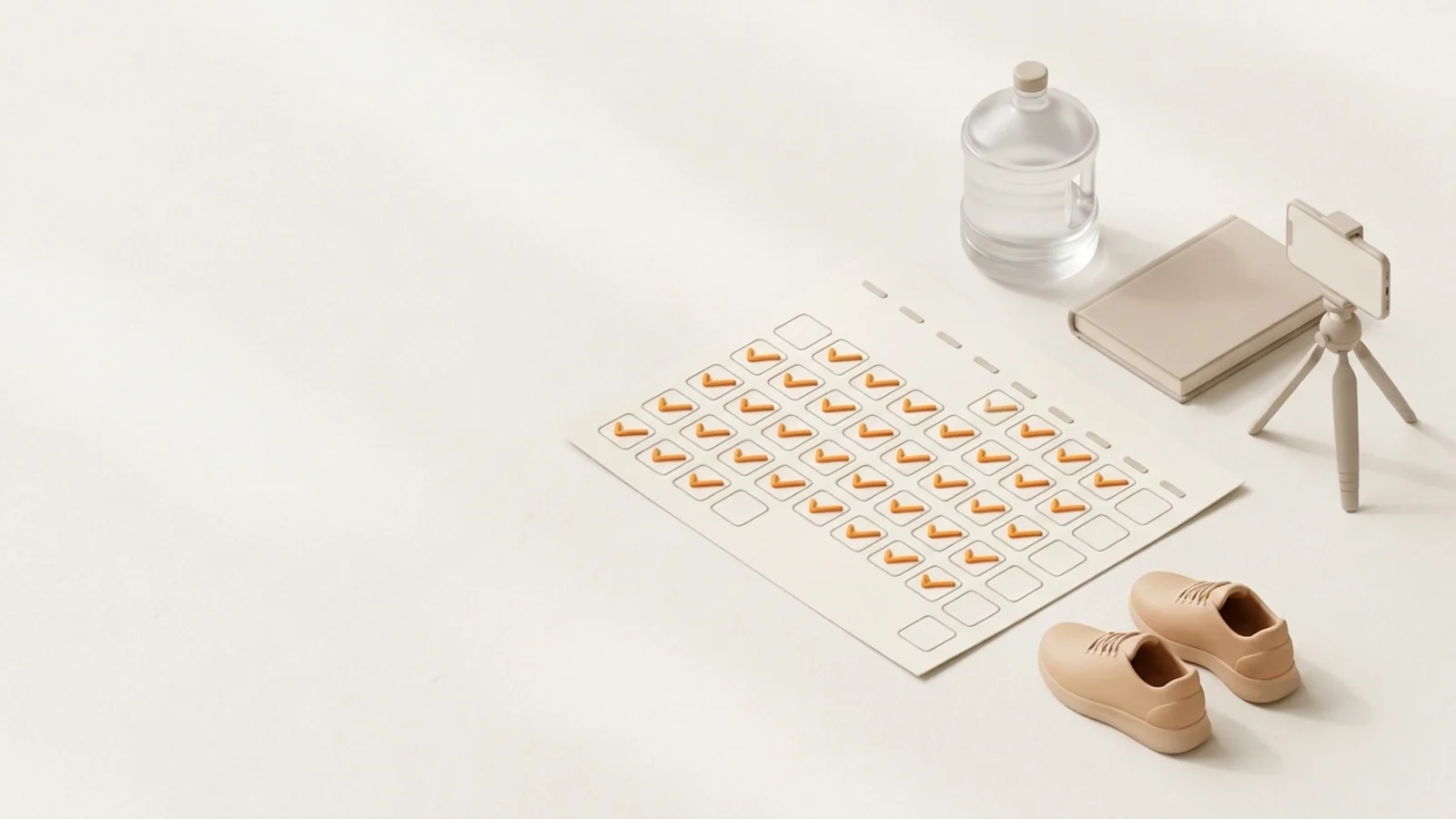
This free 75 Hard tracker turns your start date into a 75-day calendar with every daily task as a checkbox, flags a missed day the moment it happens, and prints a clean, dated checklist for the fridge. It runs in your browser, with no account or app.
The interactive tracker needs JavaScript. Here is the daily checklist it uses, one row per day for 75 consecutive days:
- Workout 1: at least 45 minutes
- Workout 2: at least 45 minutes, 3 hours apart from the first; one of the two outdoors
- Follow your diet: no cheat meals, no alcohol
- Drink a gallon of water (128 fl oz, about 3.8 L)
- Read 10 pages of nonfiction (audiobooks don’t count)
- Take a progress picture
Day 75 falls 74 days after Day 1. Your photo checkpoints are Days 1, 25, 50 and 75. Miss any task and the official rules restart you at Day 1.
How to use this 75 Hard tracker
- Pick your start date. It defaults to today. The tracker works out Day 75 (always 74 days after Day 1) and lays all 75 days out on a real calendar, so you can see which weekends, trips and holidays fall inside your run.
- Check off tasks as you finish them. Tap a day to open its checklist. The two workouts are separate boxes because they happen hours apart. A day turns solid orange only when all six boxes are checked; the cell fills from the bottom as you go.
- Watch the ring, not the clock. The ring counts consecutive complete days from Day 1, which is the only number that matters under the rules. It also shows your next photo checkpoint and its date.
- Print a copy if paper works better for you. “Print checklist” produces a one-page 75-day calendar with your real dates plus a two-page daily checklist table. Untick “Include my check-marks” for a blank copy.
Future days are locked until their date arrives, and the tracker rolls over to the next day at midnight on your device's clock.
The 75 Hard rules, in brief
75 HARD was created by Andy Frisella, who describes it as a mental toughness program rather than a fitness plan. The official rules set five tasks to complete every day for 75 consecutive days:
| Task | What the official rules say | How the tracker logs it |
|---|---|---|
| Diet | A diet geared toward your goals, followed with zero deviations, no alcohol and no cheat meals. | One box |
| Two workouts | Each at least 45 minutes, at least 3 hours apart. One must be outside. | Two boxes |
| Water | Drink a gallon of water. | One box |
| Reading | At least 10 pages of nonfiction, educational reading. Audiobooks don't count. | One box |
| Progress picture | Take a progress picture every day. | One box, with checkpoint reminders |
The rule that defines the challenge: if you fail to complete any task, you restart at Day 1, whether you were on Day 2 or Day 74. There are no substitutions. The creator's page has the full wording.
What counts as a missed day
Any past day without all six boxes checked counts as missed. A notice at the top names the day and reminds you that the official rules restart the run. The tracker never restarts you on its own, since an unchecked box usually means you forgot to log it. You get two choices:
- Review the day. If you did everything, check off the missing task. Logging late is fine; the rule is about doing the work, not about when you tap the box.
- Restart today at Day 1. Your previous attempt is kept in a short history line (start date and how many days you completed), and the calendar starts fresh from today.
A partly completed day looks different from an untouched one on the calendar, but both count as missed. For edge cases, such as a workout cut short, go by the creator's wording.
The printable 75 Hard checklist and calendar
This printable is generated from your start date, so every square already has its real date and weekday. It prints on US Letter (A4 works too) in three pages:
- Page 1: the 75-day calendar. Seven columns by week, each day with six small boxes in the same order as the checklist, the rules in brief at the top, and Days 1, 25, 50 and 75 outlined as photo checkpoints.
- Pages 2 and 3: the daily checklist. One row per day, a column per task, and a notes column, split across Days 1–38 and 39–75.
Choose Save as PDF in the print dialog to keep a digital copy. If you print midway through, leave “Include my check-marks” on and completed boxes come out filled; turn it off for a clean sheet to fill in by hand. Turn off your browser's headers and footers for the tidiest result.
Daily progress pictures you can actually compare
The picture is the easiest task to forget at 11 p.m., and the one most people get the least value from. Seventy-five photos taken in different rooms, distances and light can't be compared fairly. Decide your setup on Day 1 and repeat it every day:
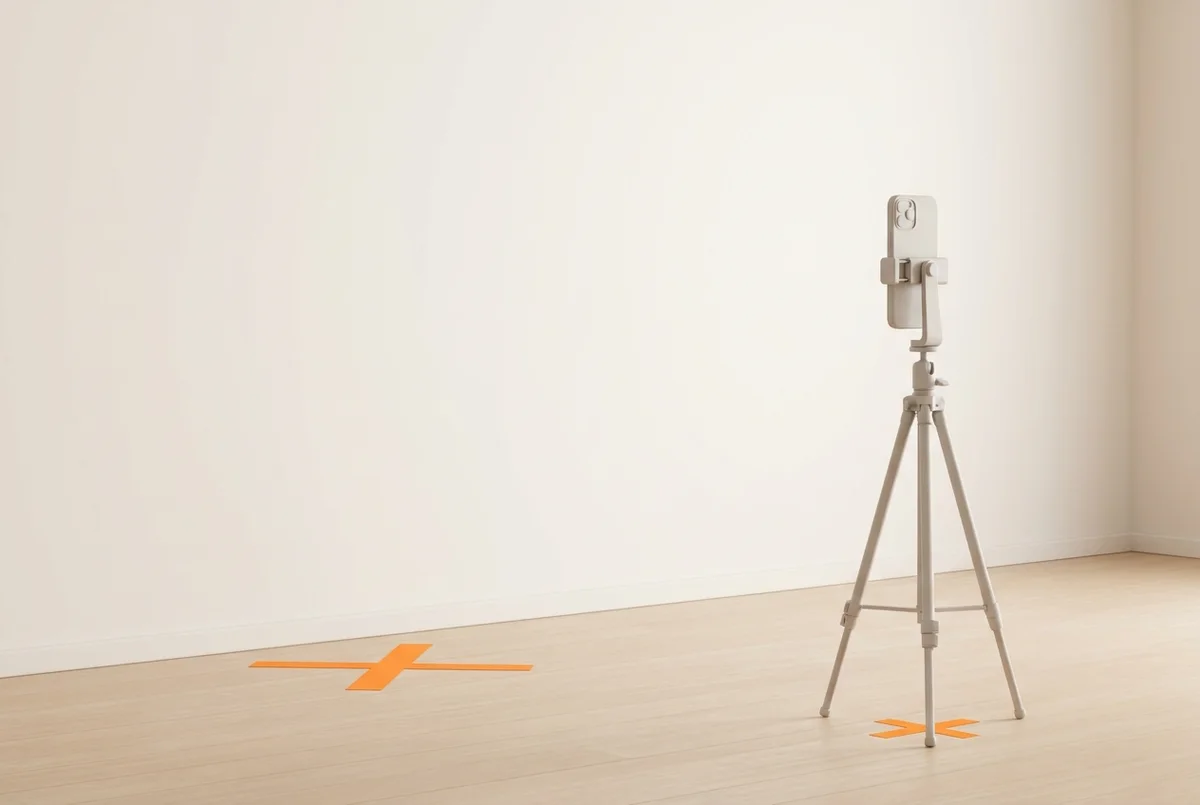
- One spot, marked. Tape an X on the floor where you stand and mark the tripod's feet, about 2 to 2.5 meters away, phone at chest height and in portrait.
- Same time and light. Morning, before eating or training, facing a window or under the same lamp.
- A timer, never a mirror. Use the camera's timer or a remote so your arms and phone aren't in the shot.
- Same poses, same order. At minimum front, side and back, relaxed. Add flexed versions if you want.
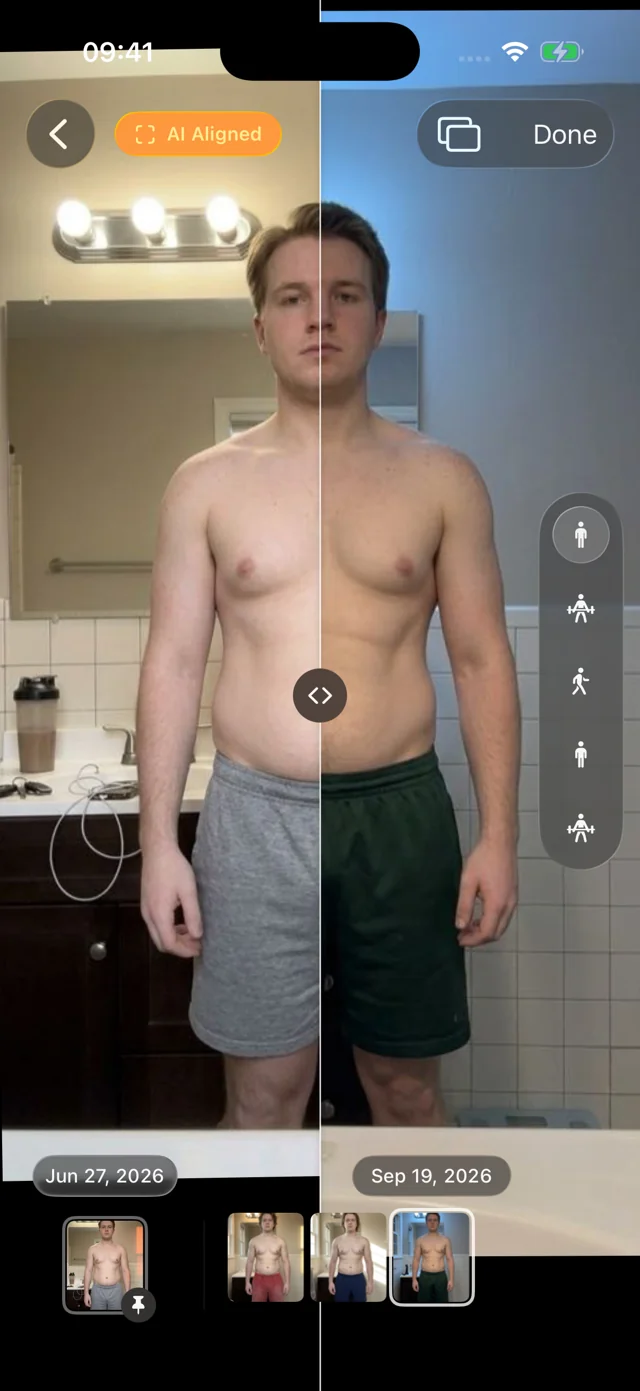
- Compare checkpoints, not neighbors. Day 40 versus Day 41 shows water and lighting, not progress. Line up Days 1, 25, 50 and 75 instead; the tracker reminds you when each is due.
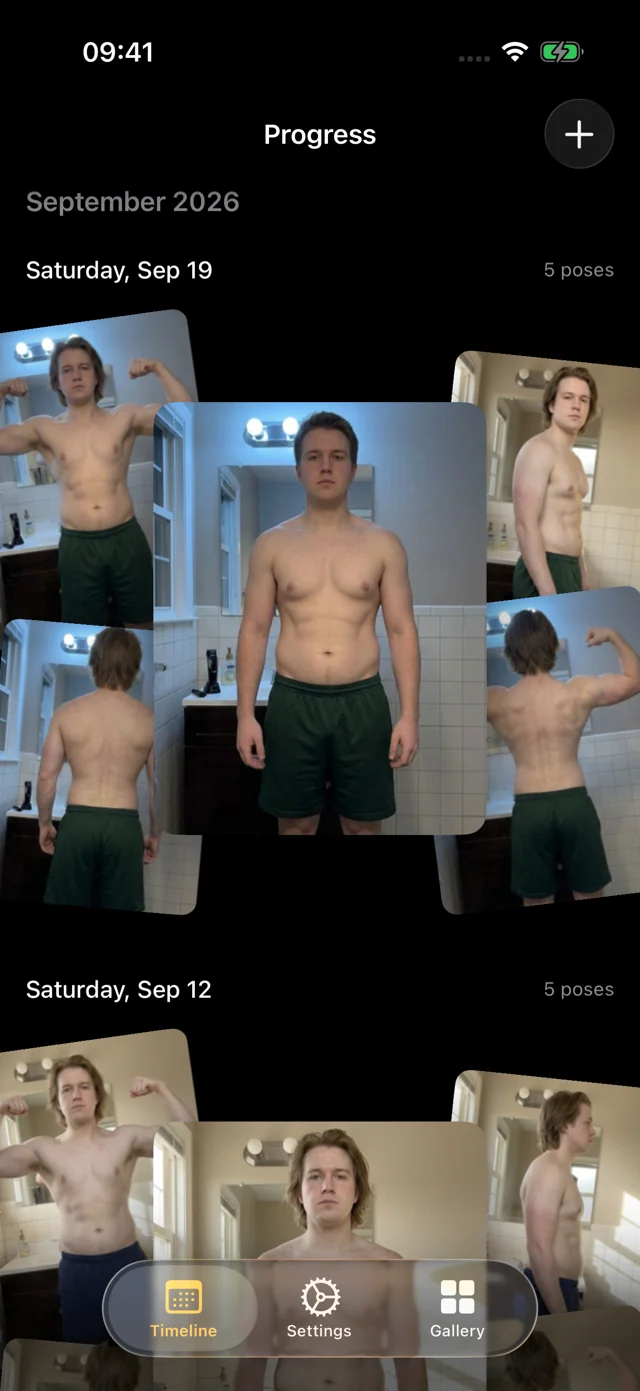
Our guide to 75 Hard progress pictures walks through building a fair Day 1 versus Day 75 comparison, and the main guide on how to take progress photos covers lighting, poses and framing in depth. If you'd rather not manage a tripod and timer every morning, Progress for iPhone handles the photo task: set the phone down, and hands-free capture waits until you're in frame, counts you in and calls each pose, with every photo AI aligned so Day 1 and Day 75 line up. It doesn't track the other four tasks; that's what this page is for.
Is 75 Hard safe?
Plenty of people finish 75 Hard and value the routine. Know the risks before you start:
- No rest days. Two 45-minute workouts a day adds up to 630 minutes a week, more than double the upper end of the 150–300 weekly minutes of moderate activity in the US Physical Activity Guidelines. A sports psychologist interviewed by Cleveland Clinic warns that skipping rest when you're fatigued can lead to overuse injuries, especially for beginners. Many people keep one of the two workouts easy, such as a brisk walk, so it works as active recovery.
- A fixed gallon of water. Fluid needs vary with size, climate and activity. Harvard Health notes that people with thyroid, kidney, liver or heart conditions, or taking certain medications such as NSAIDs or some antidepressants, can take in too much water. Spread it across the day rather than finishing it in one go.
- All-or-nothing pressure. The same Cleveland Clinic article points out that the restart rule can feed perfectionism, and that daily photos can affect body image. If either starts to feel harmful, take the photo and don't review it until a checkpoint, or step back from the challenge.
- Weight-loss expectations. The CDC notes that people who lose about 1 to 2 pounds a week are more likely to keep it off than people who lose faster.
Your tracker is saved in this browser
Your check-marks are saved in your browser's local storage for this site. There's no account, and the tracker works offline once the page has loaded. The only thing that appears in the address bar is your start date (for example ?start=2026-10-05), so a link you share opens the same calendar without anyone's check-marks.
Your progress doesn't sync: switching phones, using a private window or clearing site data starts fresh. Use Export to save a small .json backup and Import to load it on another device or browser. Reset erases everything from this browser.
FAQ
Is there an app to track the 75 Hard challenge?
Yes. The creator sells an official 75 HARD app, and many habit apps have 75 Hard templates. If you'd rather not install anything, this tracker works in any phone or desktop browser, saves on your device and prints a dated checklist.
What are the 5 rules of 75 Hard?
Follow a diet with no alcohol or cheat meals, do two 45-minute workouts at least 3 hours apart with one outdoors, drink a gallon of water, read 10 pages of nonfiction, and take a progress picture, every day for 75 days. See the official rules for the exact wording.
What happens if you miss a day of 75 Hard?
Under the official rules you start over at Day 1, no matter how far you got. This tracker flags the unfinished day and offers a one-tap restart, keeping your earlier attempt in its history.
Is there a free 75 Hard printable?
Yes. Set your start date above and press “Print checklist” for a dated 75-day calendar and a two-page daily checklist. Choose “Save as PDF” in the print dialog to keep a file.
Is it possible to lose 30 pounds in 75 days?
That would be about 2.8 pounds a week, faster than the 1 to 2 pounds a week the CDC associates with keeping weight off. Results vary widely with starting point and diet; talk to a clinician about a realistic target, and use your checkpoint photos and how your clothes fit alongside the scale.